
Framer Switch: How Businesses Can Move Their Website to Framer
Framer Switch helps experienced Framer professionals move existing client websites to Framer with the support of AI. Approved migrations can receive up to 50,000 AI credits that can be used throughout parts of the rebuilding process.
Contents10 sections
What is Framer Switch?
Framer Switch is a Framer program that supports eligible website migrations from other platforms to Framer. Registered Framer Experts submit existing client websites for review, and an approved migration can receive up to 50,000 AI credits. It is not a one-click migration tool: moving a website still requires planning, implementation, and quality assurance.
The credits support work such as rebuilding pages, preparing components, and improving content. For companies running their websites on WordPress, Webflow, or a custom-built stack, this creates a new opportunity to modernize their digital presence.
The application is not filed by the business itself but by the Framer Expert who migrates the client project. Businesses therefore review together with a suitable Expert whether their website qualifies.

Playing the video loads it from YouTube, which transfers data such as your IP address to Google. Privacy policy
What does Framer Switch include in 2026?
As of October 2026, Framer Switch focuses on AI credits: up to 50,000 credits per approved migration, valid for three months. The earlier offer to cover the first year of an eligible Framer site subscription is no longer part of the program. The Framer subscription and agency services are paid separately by the customer.
Framer's Switch program has changed over time. Earlier versions included an offer to cover the first year of an eligible Framer site subscription for approved projects. If you come across older articles or offers about Framer Switch, always check the conditions against the current program page.
The limit applies per approved website migration. How many credits a project actually uses depends on its scope and tasks.
Source: Framer — SwitchBusinesses should distinguish between three separate costs:
| Cost | What Framer Switch provides |
|---|---|
| AI credits | Up to 50,000 credits for approved migrations |
| Framer subscription | Paid separately by the customer |
| Agency services | Agreed independently between the agency and customer |
The credits can support certain tasks, but the actual benefit depends on the project's complexity. An approved application also does not mean that Framer completes the work automatically.
- Up to 50,000 AI credits per website
- AI-assisted work in Framer: pages, components, content
- Valid for three months, one application per website
- No cash payment and no general discount
- No automatic migration of the website
- Planning, review, and quality assurance
Who is eligible for Framer Switch?
Applications must be submitted by a registered Framer Expert, such as an agency, studio, freelancer, or in-house team. The website must be active, currently hosted outside Framer, and backed by evidence of the client relationship. Each website can only be submitted once, and approval is determined by Framer after review.
The website must meet several conditions:
- It is an active business or client website.
- It is currently hosted on a platform other than Framer.
- The applicant can demonstrate the relevant client relationship.
- Details about the existing website and its platform are available.
- The proposed migration meets Framer's review requirements.
The application requires information such as the current website URL, a recent receipt or contract from the existing platform, and evidence of the client relationship.
Experts can apply for another Switch after their previously approved website has gone live on Framer.
How to migrate a website to Framer in six steps
A migration to Framer follows six steps: audit the existing website, define the migration strategy, prepare the new structure, rebuild the website in Framer, validate SEO and functionality, then launch and monitor. The goal is to transfer the right content, preserve important functionality, and prepare the new website for long-term use.
Step 1: Audit your existing website
Review all important pages, content, CMS collections, forms, and integrations. Document current URLs and identify pages that already receive organic traffic or have valuable backlinks.
Step 2: Define the migration strategy
Decide which pages should be preserved, rebuilt, improved, or removed. If the project qualifies, a registered Framer Expert can submit the website through the Switch program.
Step 3: Prepare the new website structure
Plan the information architecture, design system, page templates, and CMS collections. Not every platform migration needs a complete redesign. Sometimes a controlled technical transition is the better approach.
Step 4: Rebuild the website in Framer
Use Framer's visual tools and, where appropriate, its AI agents to support page creation, component development, and content migration. AI-generated results must still be reviewed.
Step 5: Validate SEO and functionality
Check page metadata, redirects, internal links, forms, analytics, responsive layouts, and important integrations. Privacy and consent requirements must also be addressed.
Step 6: Launch and monitor
Once quality assurance is complete, publish the new website. Monitor search visibility, indexing, conversion tracking, and technical issues after launch.
How can Framer Agent help with migrations?
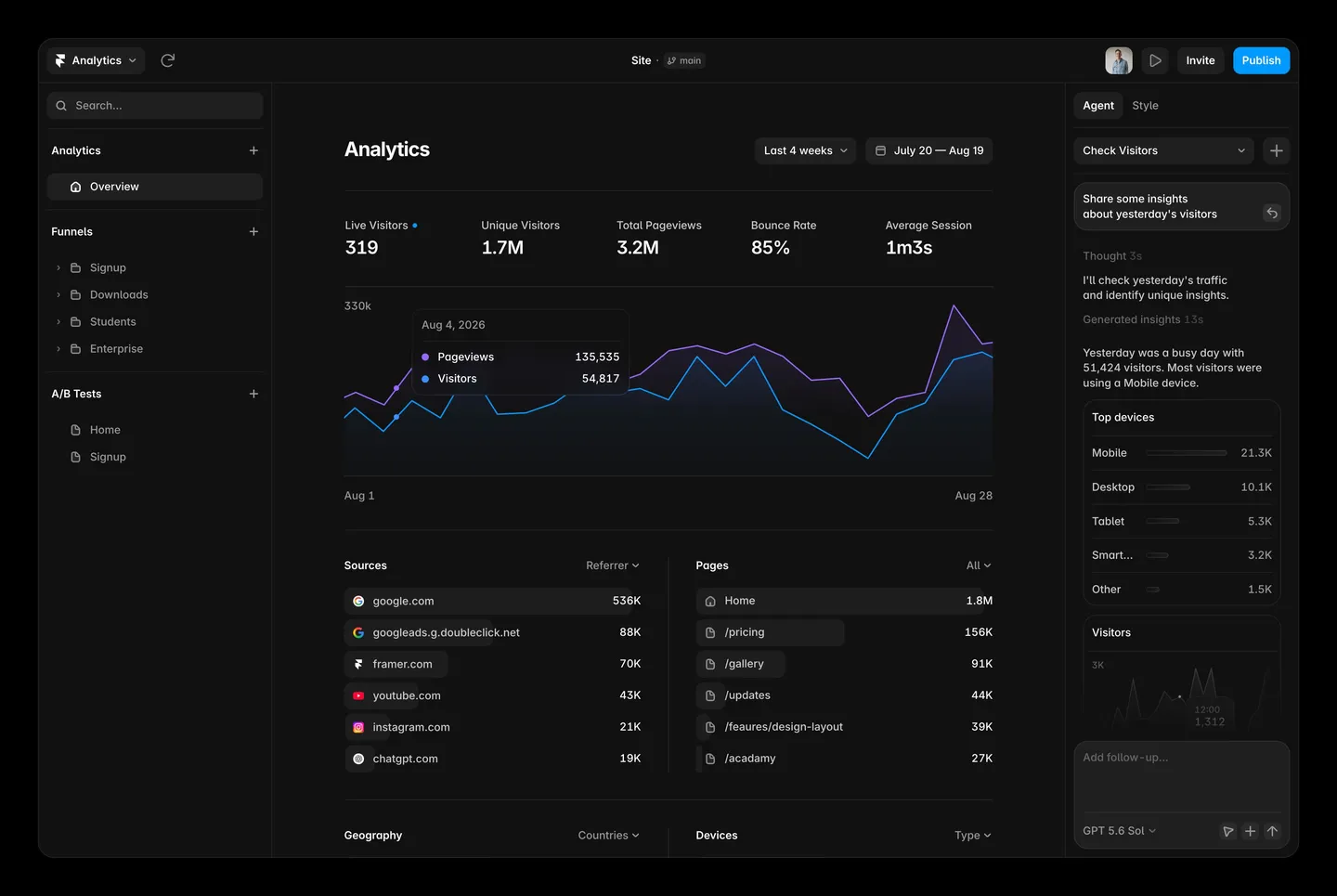
Framer's AI agents can support parts of a migration: rebuilding page sections from references, creating reusable components, preparing CMS collections, importing structured content, and refining layouts and copy. Their output should be treated as an initial implementation, not a finished migration. Forms, content, interactions, accessibility, SEO, and integrations still require human review.
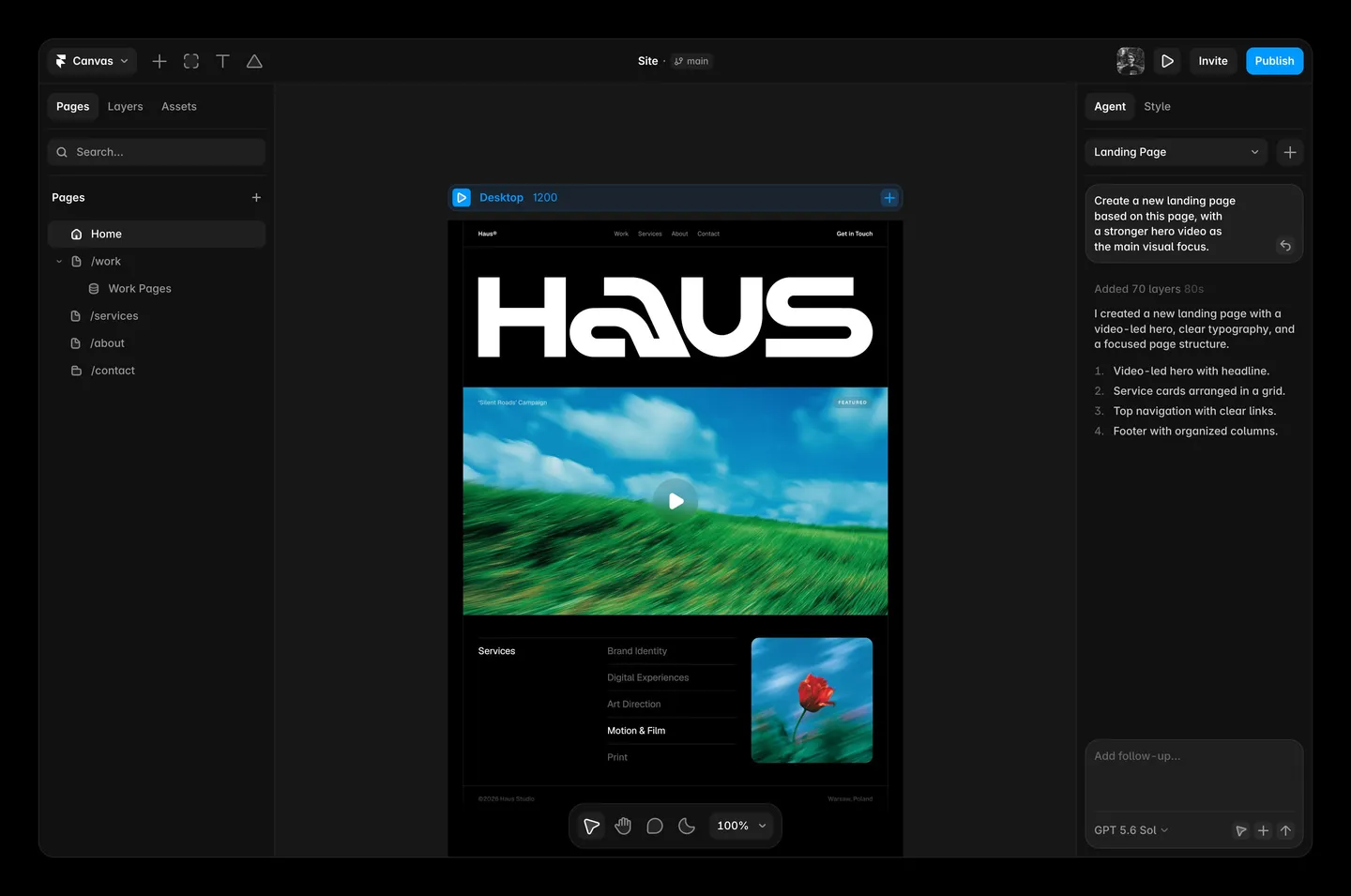
For websites with many similar pages, such as service, location, or blog pages built on the same pattern, this can reduce repetitive work. The agents can also support changes across existing pages.
Can you migrate from WordPress or Webflow to Framer?
Yes. Framer provides migration guidance for both WordPress and Webflow. Content can be exported and prepared for Framer's CMS, for example through CSV-based workflows. Plugins, custom functionality, animations, forms, and integrations may need to be replaced or recreated, so a successful migration includes both content transfer and functional quality assurance.
WordPress to Framer
WordPress content can be exported and prepared for import into Framer's CMS. However, WordPress plugins and custom functionality may require replacements or separate integrations.
Webflow to Framer
Webflow websites can also be migrated using a combination of content exports and website rebuilding. CMS content can be prepared for import into Framer. Layouts, animations, forms, and integrations may need to be recreated or adapted.
How can you protect your SEO when migrating to Framer?
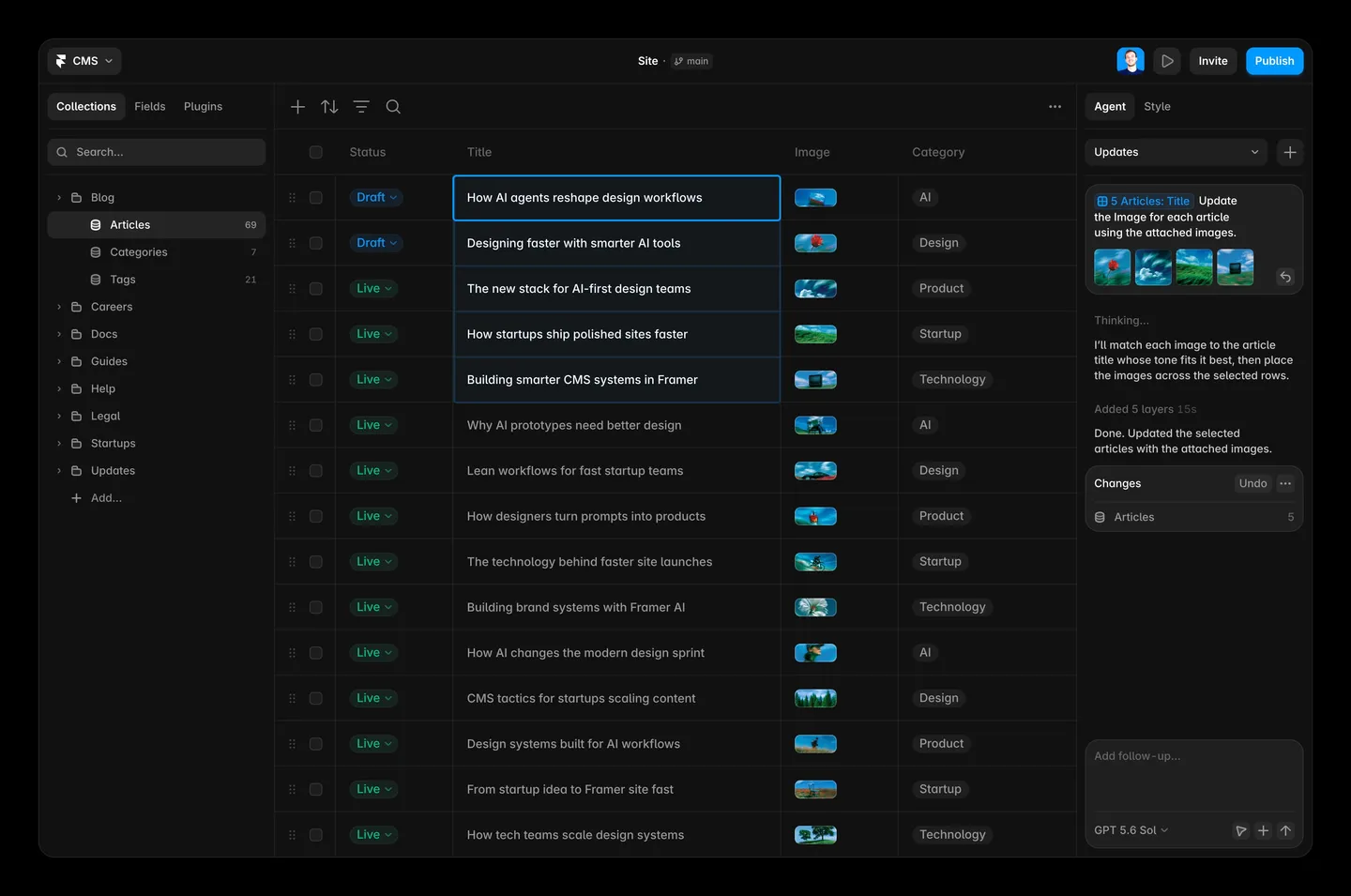
Migrating to Framer does not automatically cause a loss of Google rankings, but mishandled redirects, missing content, or technical errors can harm organic visibility. Preserve valuable URLs, implement permanent redirects, review metadata, keep important content, validate technical SEO, and monitor performance after launch. No provider can guarantee identical rankings or AI recommendations.
- Preserve valuable URLsKeep existing URLs whenever practical, especially pages that already receive organic traffic.
- Implement permanent redirectsIf URLs change, create relevant redirects to the corresponding new pages.
- Review metadataCheck title tags, meta descriptions, headings, canonicals, and indexing settings.
- Preserve important contentAvoid removing valuable pages or changing their purpose without a clear strategy.
- Validate technical SEOReview internal links, structured data, image alt text, the XML sitemap, and language annotations.
- Monitor performance after launchUse Google Search Console and analytics data to identify indexing errors, traffic changes, and technical issues.
Clear website structure and reliable, accessible content are also valuable foundations for visibility in AI-driven search experiences, although no one can guarantee recommendations from AI platforms.
- AuditDocument pages, URLs, content, and SEO data from Google Search Console.
- URL mappingAssign every existing URL its destination. Changed URLs get permanent redirects.
- RebuildBuild pages, CMS, and metadata in Framer and keep content that already performs.
- Quality assuranceCheck redirects, internal links, metadata, canonicals, and structured data.
- LaunchPublish, then monitor indexing, traffic, and issues in Search Console and analytics.
For more background, read our Framer guide for 2026 and our comparison of Framer vs. WordPress.
When is Framer not the right migration destination?
Framer can be an excellent platform for business websites, landing pages, marketing sites, and many CMS-driven projects. Additional evaluation is important for complex e-commerce stores, membership platforms and customer portals, applications with extensive server-side logic, very large content databases, and highly specialized enterprise integrations. The decision should follow business requirements, not a tool.
Framer is not necessarily the ideal solution for every business. Additional evaluation is particularly important for:
- Complex e-commerce stores.
- Membership platforms and customer portals.
- Applications with extensive server-side logic.
- Very large content databases.
- Highly specialized enterprise integrations.
Some of these requirements may call for external services, a hybrid architecture, or a different platform.
Migrate to Framer with Webnity X
Webnity X is a listed Framer Expert Agency that helps businesses plan, design, and implement Framer websites, from website audits and migration planning to design, Framer development, CMS migration, technical SEO and GEO, conversion optimization, and launch support. We assess whether a client project may qualify for Framer Switch; acceptance remains subject to Framer's approval.
Choosing Framer is only one part of a successful website migration. The more important challenge is ensuring that content, design, functionality, and SEO work together after the switch.
That is where we come in: we plan the move strategically and build modern websites using Framer, from the first audit to the checks after launch.
As a listed Framer Expert Agency, we can also assess whether an eligible client project may qualify for Framer Switch. Acceptance into the program remains subject to Framer's approval.
Final thoughts: Framer Switch makes migration easier, but strategy still matters
Framer Switch adds an incentive for businesses planning to move an existing website to Framer: its AI credits support parts of the rebuilding process and help experts work more efficiently. The fundamentals remain the same, though. A strong information architecture, careful content transfer, high-quality design, functional testing, and a well-planned SEO transition are essential.
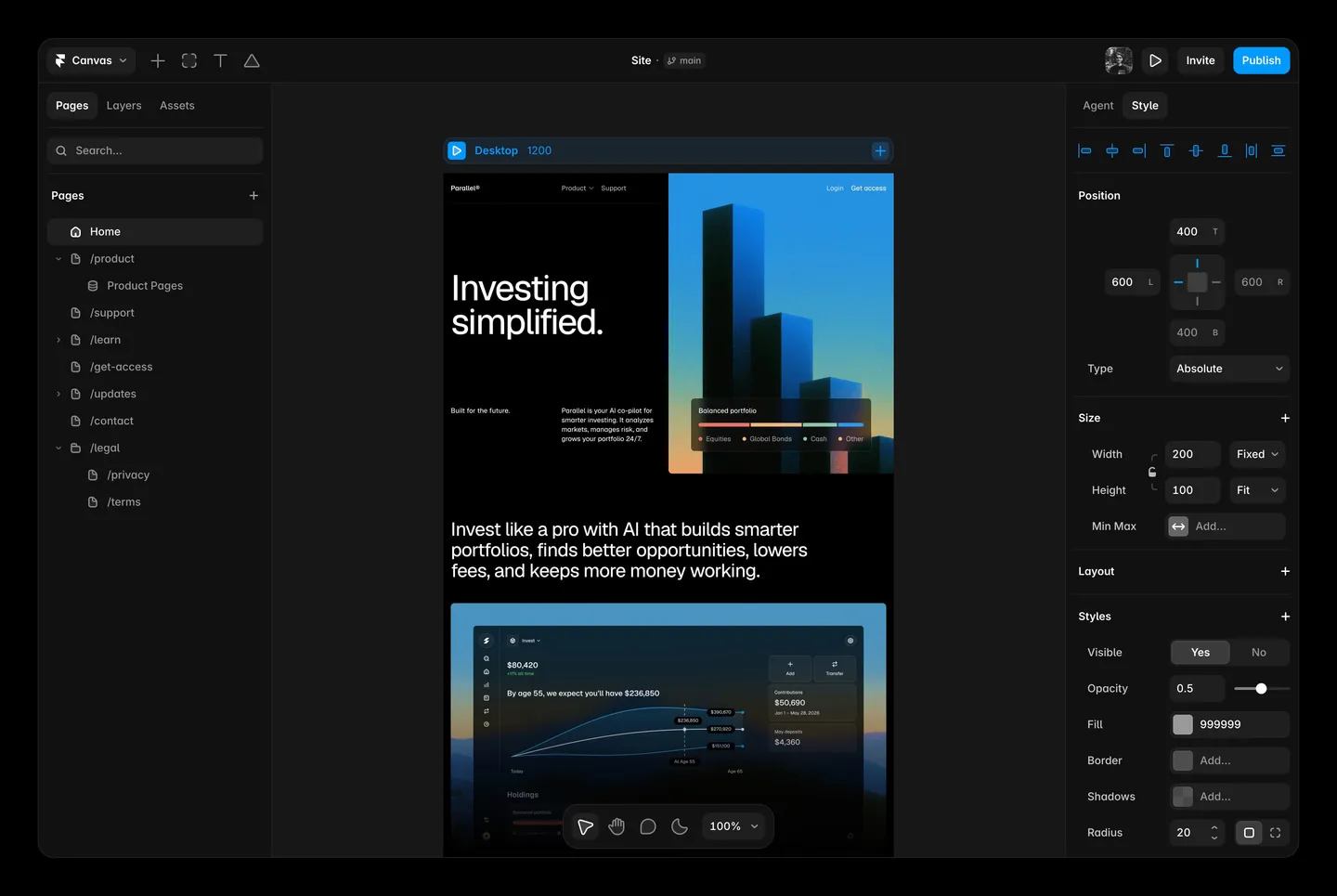
After the move, your own team maintains pages, content, and layouts directly in the Framer editor, so the new structure should be designed for that from the start.This content is independent of Framer and is not authorized by, endorsed by, sponsored by, affiliated with, or otherwise approved by Framer B.V. “Framer” is a trademark of Framer B.V.
Sources & data
- Framer — Switch
- Framer — Apply to become an Expert
- Framer — Pricing
- Framer — WordPress to Framer: Step by step
- Framer — WordPress to Framer: SEO
- Framer — Webflow to Framer: Step by step
- Framer — Brand (product shots)
- Framer — Trademark Guidelines
- Framer on YouTube — Framer Switch: 50,000 free credits for your next client migration
- Webnity X in the Framer Experts directory
Frequently asked questions
What is Framer Switch?
Framer Switch is a program for registered Framer Experts that supports approved migrations of existing client websites to Framer with AI credits.
How many AI credits does Framer Switch provide?
Approved migrations can receive up to 50,000 AI credits, subject to the current program requirements.
Is Framer Switch completely free?
No. The program provides AI credits for approved projects. The Framer subscription, agency services, and other potential project costs remain separate.
Who can apply for Framer Switch?
Applications must be made through a registered Framer Expert. The website must meet the eligibility conditions and the required documentation must be provided.
When do the credits expire?
Switch AI credits are valid for three months. Their use should be planned according to the current program conditions.
Does Framer still cover the first year of hosting?
As of October 2026, no. That benefit was associated with an earlier version of the Switch program and is no longer part of the current offer.
Can I migrate a WordPress or Webflow website to Framer?
Yes. Framer provides migration guidance for both platforms. The exact work required depends on the existing website, content, and integrations.
Can an Expert submit several websites at the same time?
Under the current conditions, another Switch becomes available after the previously approved website has gone live on Framer.
Will migrating to Framer affect my Google rankings?
It can. A carefully planned SEO migration can reduce risks, but rankings and organic traffic cannot be guaranteed to remain unchanged.
Can Webnity X help with a Framer migration?
Yes. Webnity X supports businesses with migration planning, Framer development, CMS work, SEO, and launch quality assurance. Eligibility for Framer Switch is evaluated separately.


Framer 2026: The Complete Guide to Pricing, CMS, SEO, AI, Alternatives & Top Framer Agencies
Framer has grown from a design and prototyping tool into a complete platform for professional websites. This guide covers pricing, CMS, SEO, AEO, and Agents, compares Framer with the major alternatives, and maps the international Framer agency market.
Read article
Framer vs. WordPress: Which Platform Fits Which Project?
Framer and WordPress can both power excellent websites, but they follow different platform models. The key question is not which system is better in general, but which one better fits the requirements of the project.
Read article
WordPress Alternatives in 2026: Which Is Best for Your Business?
A practical comparison of Framer, Webflow, Squarespace, Shopify, Wix and Ghost for business websites, with three-year costs, migration steps and honest advice on when to stay with WordPress.
Read article
Have a project in mind?
Tell us what you are planning. We will help determine the right approach for your website, search visibility, or AI project.
Discuss your project